Open the control plane
The dashboard is served by the daemon and is local by default.
libre-claw daemon
# then open:
http://127.0.0.1:8766/dashboard
For another device on your network, bind the daemon deliberately with a reachable host.
Use the Libre Claw dashboard to inspect runs, approve blocked tools, edit schedules, trigger jobs, and review token usage.
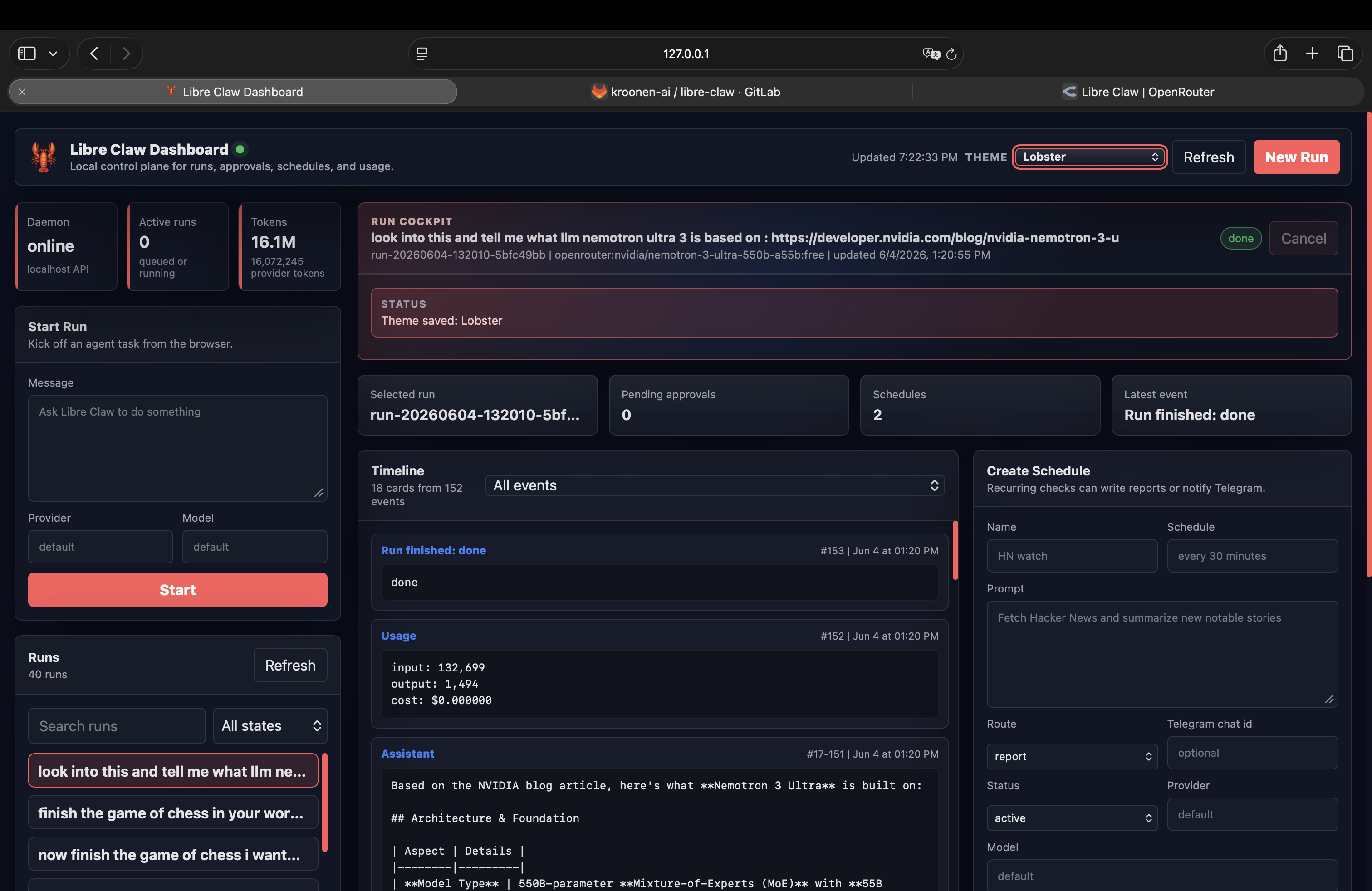
The dashboard is served by the daemon and is local by default.
libre-claw daemon
# then open:
http://127.0.0.1:8766/dashboardFor another device on your network, bind the daemon deliberately with a reachable host.
Review the selected run, timeline cards, assistant output, tool events, usage, and final state.
Approve once, always for the tool, always for the exact call, or deny directly from the browser.
Create, edit, pause, delete, and trigger recurring jobs without leaving the dashboard.
Use detached mode when the dashboard and Telegram bridge should keep running after the terminal closes.
libre-claw start -d
libre-claw shutdownThe dashboard can save the selected visual theme in the local TOML config so it matches the TUI.
/theme lobster
/theme lobster-light --global
/status